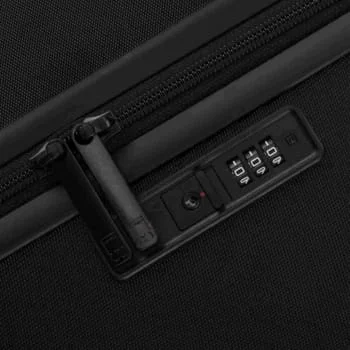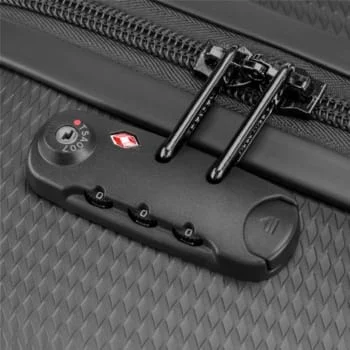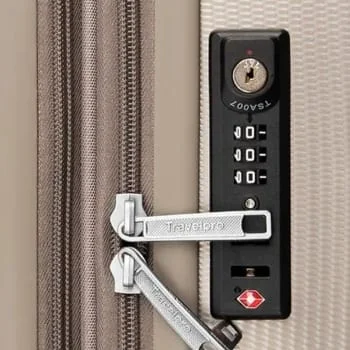

Setting Your Eagle Express Lock
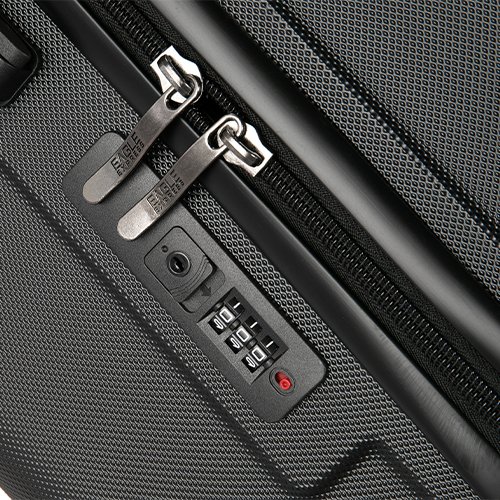
Your new combination lock is preset to open at 0-0-0 (even though the dials may be positioned at other numbers). You can change and reset your combination as often as you like. To set your lock. follow these step:
Step 01:
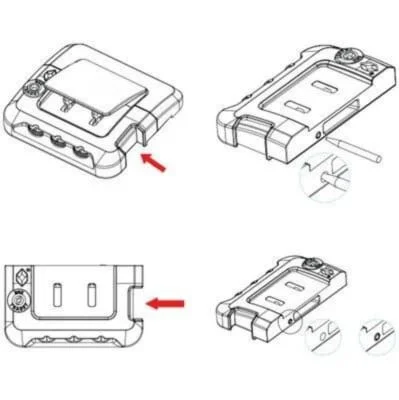
Start by ensuring your dial is set in the preset starting code 0-0-0 by releasing the zipper pullers from their housing. To do this. slide the TSA Lock as indicated by the arrows to unlock the zippers.
Step 02:
Now that the preset code is confirmed, return the zipper pullers into the housing.
Step 03:
Use a ballpoint den to yess down the reset button located next to the dal. After pressing down on the reset button adjust each dal to your preference.
Set Your Own Combination : Integrated Lock 1
Step 04:
When you have finalized of your new code, push to slide the TSA Lock as indicated by the arrows. This causes the reset button to spring up and release the zipper pullers which confims your new code is set.
Keep your combination in a safe and accessible place for future reference. This lock was designed to be recognized by the U.S. Transportation Security Administration, TSA, and allows the TSA to be able to unlock your bag, using special access codes and tools, if the need arises for a baggage search. This lock can then be relocked by the TSA with no damage to the lock or your bag.
Other Common Luggage Locks you should know
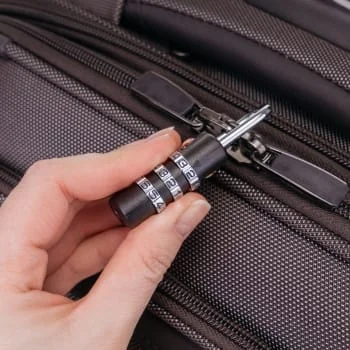
PadLock
A sleek TSA-approved 3-digit combination padlock designed for secure, keyless travel. Easily set your own code while allowing TSA inspection without damage.
- Set the lock to the default code
Align the number dials to 0-0-0 (factory setting). - Open the padlock
Pull the shackle out to open the lock. - Enter setting mode
Rotate the shackle 90° (or 180°, depending on the model) and press it down firmly until it stays in the setting position. - Choose your new combination
Turn the dials to your desired 3-digit code.
(Choose a number you’ll remember easily.) - Save the combination
Lift the shackle back up and rotate it to its original position. - Lock and test
Close the padlock, scramble the dials, then re-enter your new code to confirm it works.
Dual Integrated Lock
Your new TSA-approved lock is preset to open at 0-0-0 (even though the dials may be positioned at other numbers). You can change and reset your combination as often as you like. To set your lock. follow these step
- Step 1: Start by ensuring vour dial is set in the preset starting code 0-0-0 by releasing the zipper pullers from their housina. To do this. slide the TSA Lock as indicated as the arrows to unlock the zippers
- Step 2: Now that the preset code is confirmed, return the zipper pullers into the housing.
- Step 3: Use a ballpoint pen to press down the reset button located next to the dial. After pressing down on the reset button, adjust each dial to your preference
Low Profile Integrated Lock
A sleek, built-in TSA-approved combination lock designed to secure your luggage seamlessly. The low-profile design sits flush with the suitcase for a clean look, keyless convenience, and safe TSA inspection without damage
- Set the lock to the default code
Align the number dials to 0-0-0 (factory setting). - Open the lock
Slide the lock release button to open the zippers. - Activate setting mode
Press and hold the reset button/lever (usually located beside or underneath the lock). - Choose your new code
While holding the reset button, turn the dials to your desired 3-digit combination. - Save the combination
Release the reset button to confirm the new code. - Test the lock
Scramble the dials and re-enter your code to ensure smooth operation.
Integrated Combination Lock
A flush-mounted 3-digit TSA combination lock offering secure zipper locking, keyless access, and safe TSA inspection.
- Set the lock to the default code
Align the number dials to 0-0-0 (factory setting). - Open the lock
Slide or press the release button to unlock the zipper pulls. - Enter setting mode
Use a pen or pin to press and hold the reset button (usually located on the side or bottom of the lock). - Choose your new code
While holding the reset button, turn the dials to your desired 3-digit combination. - Save the combination
Release the reset button to confirm the new code. - Test the lock
Scramble the dials and re-enter your code to ensure smooth operation.